PlayIRL.ggBetaPlayIRL.GG (beta)
An independent, alternative way to find and schedule MTG events near you.
An independent, alternative way to find and schedule MTG events near you.
A simple, no-fuss life tracker for Magic: The Gathering. Tap to change life totals, track commander damage, poison and commander tax, and keep a clock on the game and each turn — for 1 to 8 players in Commander, Standard, Two-Headed Giant or your own format.
That is the real app running, not a screenshot — tap the board and play with it.
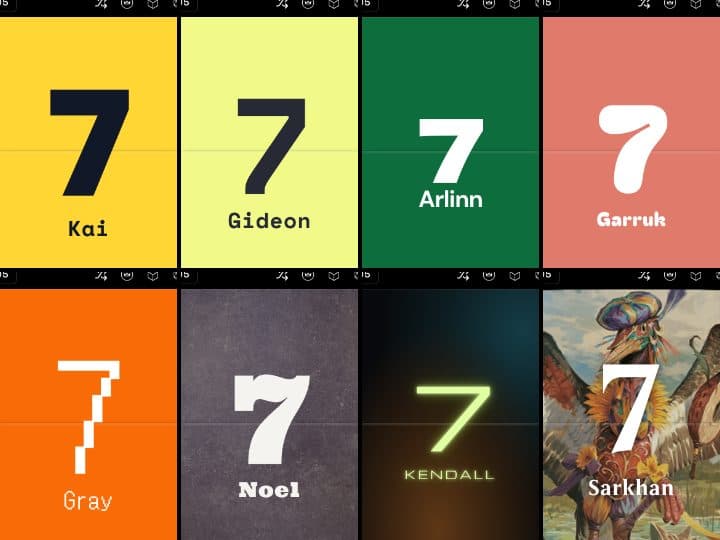
Ten full looks, each with its own colours, type and sound — from flat Bauhaus blocks and Bloomburrow woodland to a cyberpunk arcade, Wild West saloon, Blade Runner noir, death-metal Necrotica and Moonlit. Pick one for the whole table, or let the app surprise you.
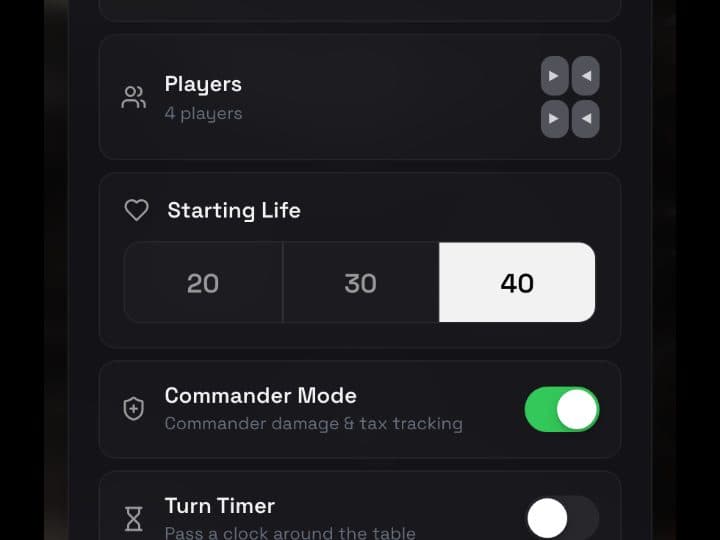
Pick the theme, player count and starting life — 20, 30, 40 or your own — turn commander tracking and the turn timer on or off, and start. Set up a two-player game at 20 and Commander Mode switches itself off, because that is a 1v1.

Search any card and put its art behind your life total, or pick from the most popular commanders. The popular art ships inside the app, so it shows up instantly — even with no signal at the game store.
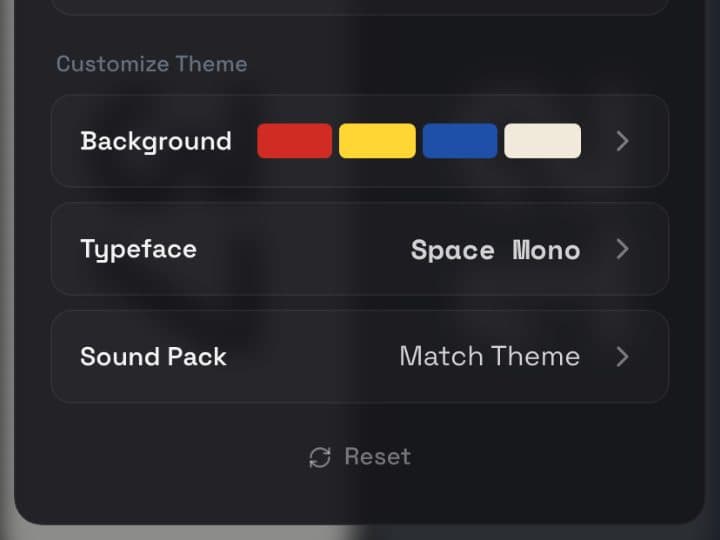
Light, dark or auto for the whole table or per player, custom colour swatches, separate fonts for names and life totals, and the +/− buttons shown or hidden. Every seat can wear a different colour or photo.
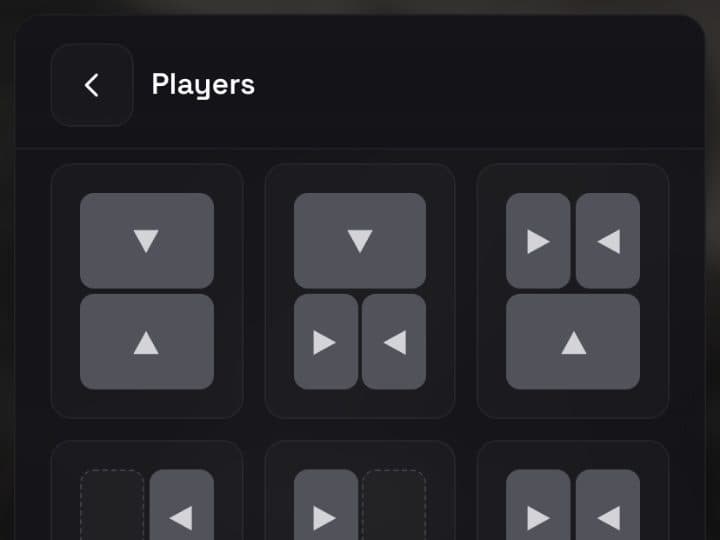
Thirteen layouts for 2 to 6 players, with each seat rotated to face whoever is sitting there. Turn order follows the seats round the table, whichever layout you pick.
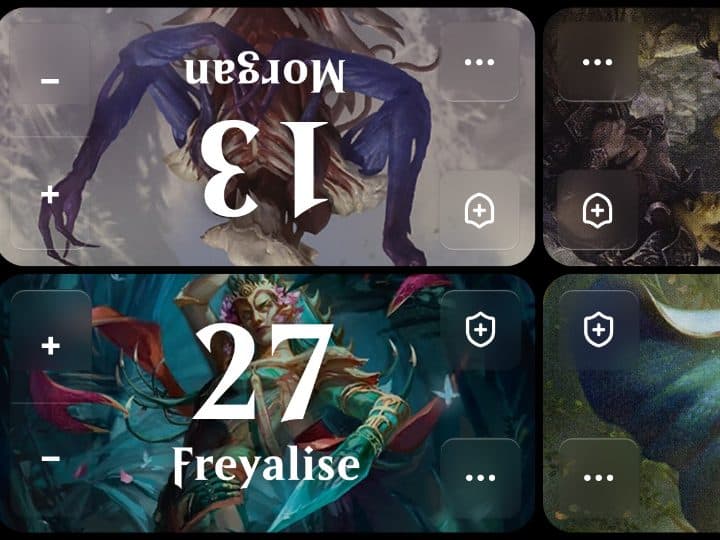
Every seat gets a name to start — edit it to yours, or run the quick setup before the game. Names follow players into the log, the life chart and the time breakdown, so you always know who did what.
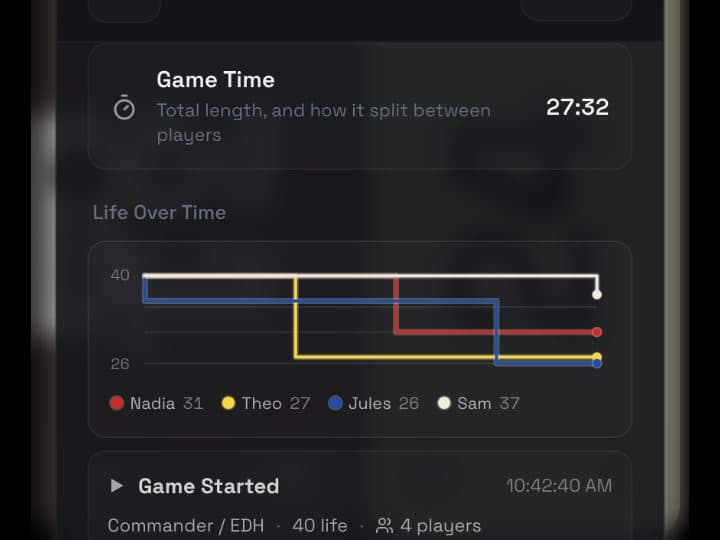
Life, poison, commander tax and experience, with commander damage tracked per opponent — partner commanders counted separately, each with their own tax. Commander damage comes off life as it would at the table.
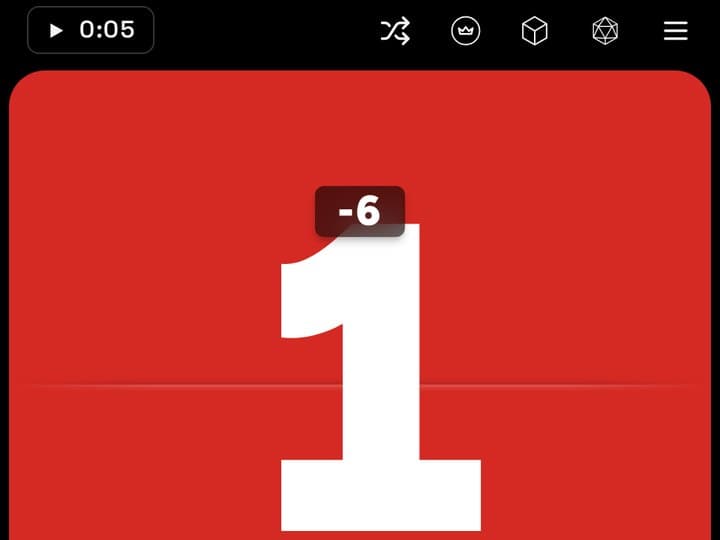
An optional warning for the player hanging on. Drop to 1 life and their tile flashes red with a sound, then keeps a slow red glow for as long as they stay there. Hit 0 and the whole table hears about it. Off until you turn it on under Special Features.
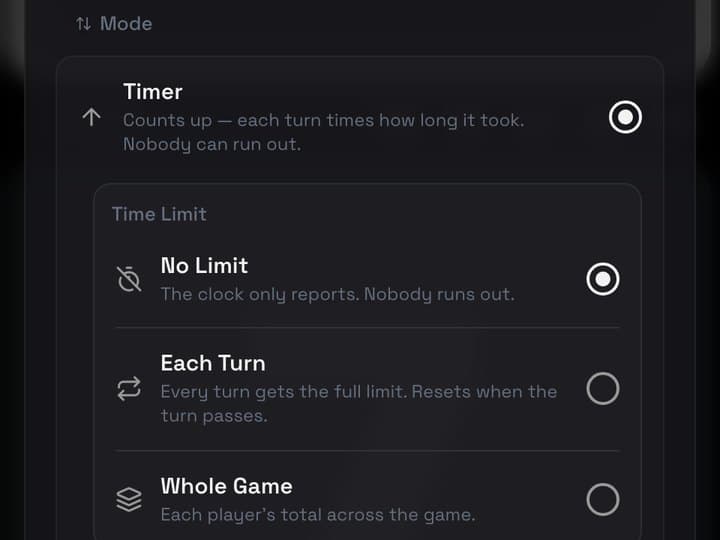
Pass a clock round the table one turn at a time, or switch to Priority and let anyone take it by tapping their badge. Count up to see how long each turn took, set a limit per turn or for the whole game, or play a true chess clock where everyone spends their own time.
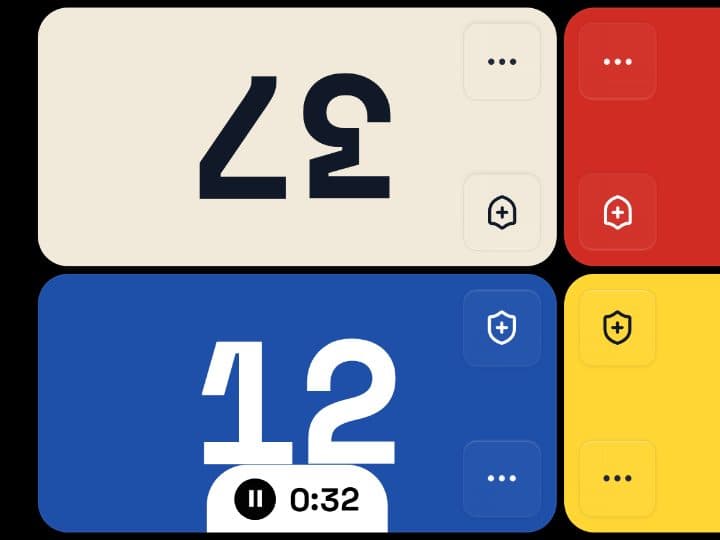
Whoever holds the clock gets a badge on their tile with their turn number and time. Tap it to pass the turn. Pause the game and every clock pauses with it.
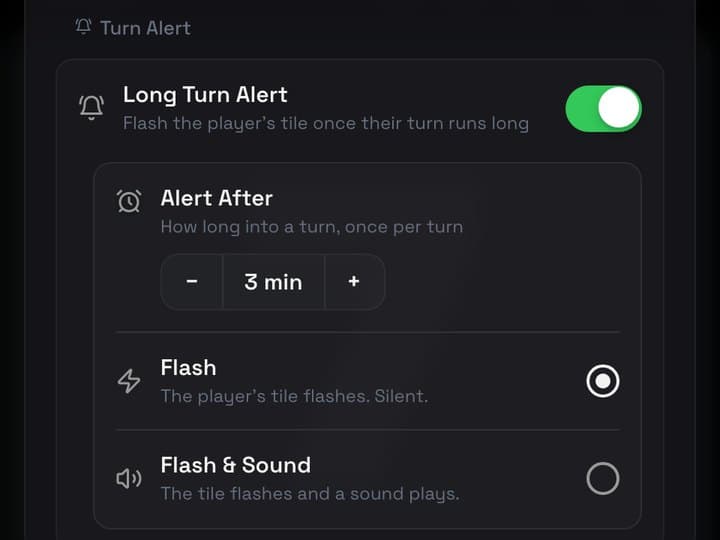
Flash a player's tile once their turn has run a set number of minutes — or, on a chess clock or time limit, when they are nearly out of time. Choose a quiet flash, or a flash with a sound. The default is a ticking clock.
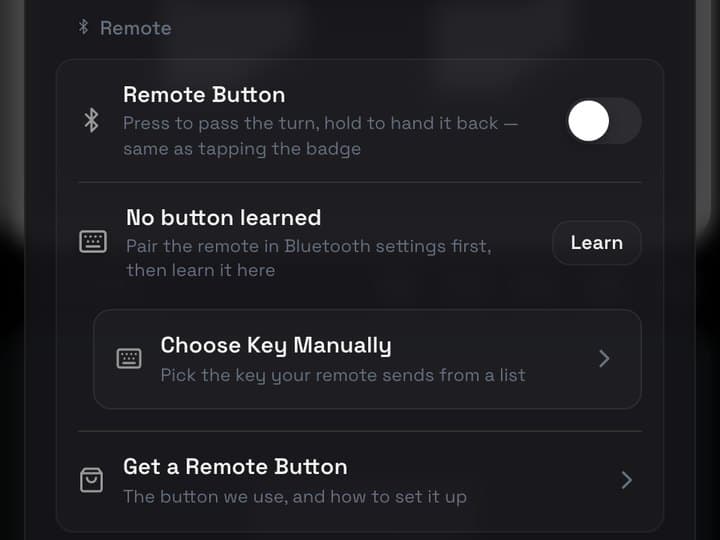
Pair a Bluetooth button and press it to pass the turn — hold to hand it back. The app learns whichever key your button sends and walks you through setting it up. The one we use is a single big, rechargeable key that pairs like a keyboard: Sanpyl Big Single-Key Keypad
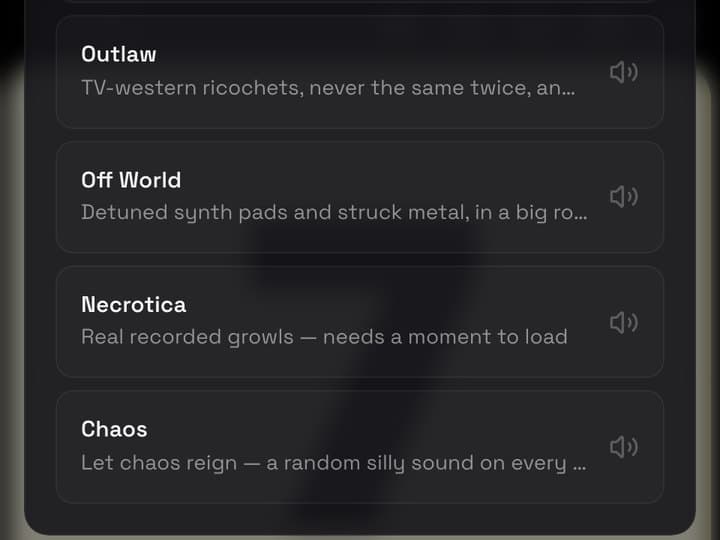
Each theme has its own sound, or pick any pack for any theme: plain tones, chiptune, TV-western ricochets, synth noir, real recorded growls — or Chaos, a random silly sound on every tap. Pick a turn-pass sound too, from a clock clack to an air horn. Taps tick up; Back and Done tick down.
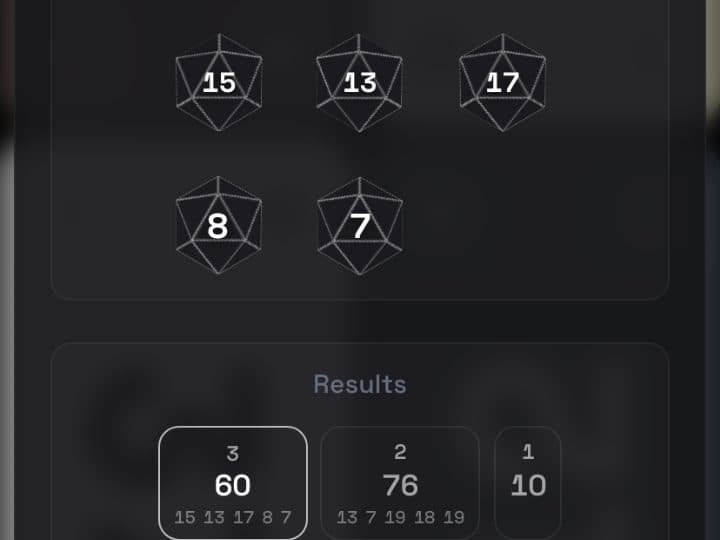
Roll up to ten dice from D4 to D20, flip up to ten coins, or let the app pick who goes first — or tap the seat that goes first yourself.
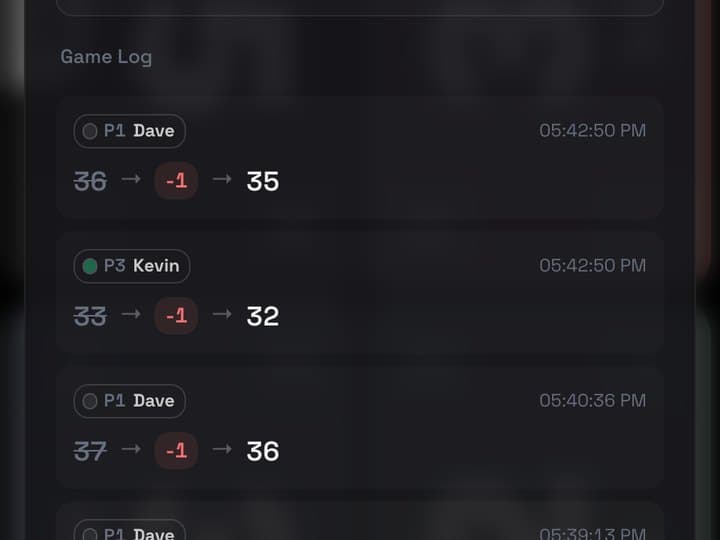
Every change in the game, as it happens: who, when, and 20 → −3 → 17. Tap any line to roll the game back to that moment. Press and hold the game clock to jump straight to the time.
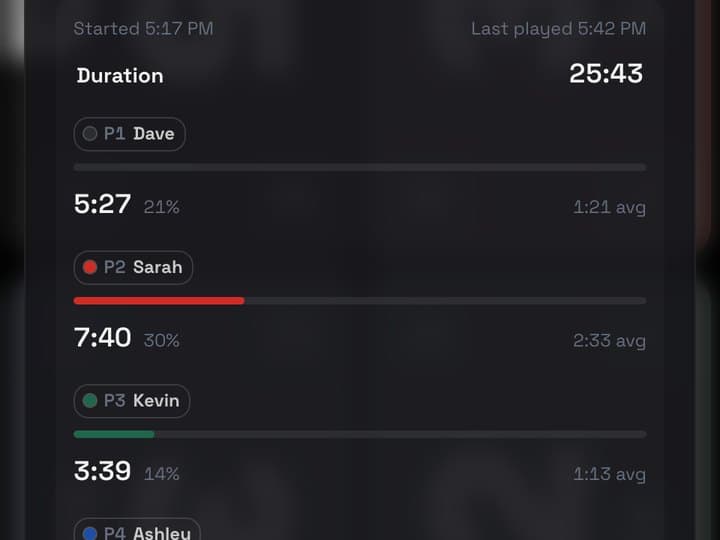
The same two tabs mid-game and after it. Score has the standings, the life chart and the log. Time has how long you have played and each player's share — total, percentage and average turn — with a gold card for the longest turn.
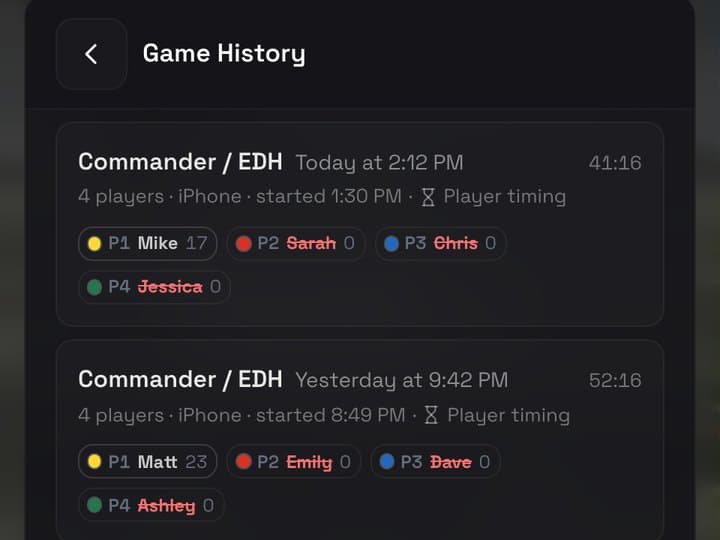
Every game is saved with its winner, length, life chart and turn times. Open one to look back, share it, or pick it up again. Game Details lists everything about it — layout, theme, who went first, the device it was played on and how the clocks were set. Sign in with a playirl.gg account and your games and settings follow you to your other devices.
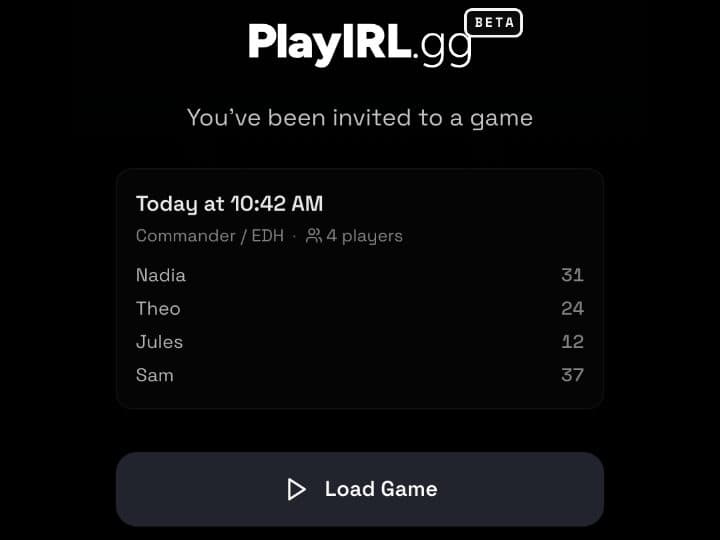
Need your phone back? Send the game to someone else's with a QR code or a link — it opens right in their browser, no app required — and they pick it up right where you left off. No signal? The QR code carries the whole game on its own.
Live right now, free, and open to anyone — no invite needed. About a minute to set up.
Every gesture and every setting, in one page — keeping score, commander damage, the turn timer, card art, sharing a table and syncing your history.
Still in development. Join now and you get first crack at Play Store invites when closed testing opens.